Oh how Time Flies.
Plan the day. Keep the years.
Stop wondering where it went. Time Flies keeps you plugged in to the passage of time — what's coming, what's passed, how long ago and how long to go. That number is the whole point, and every part of the app gives it to you.
iPhone · iOS 16 and up · Free to start
Every planner manages your future. Time Flies also keeps your past — and shows you the distance between the two.
How long ago, how long to go. A to-do list forgets. Time Flies remembers.
See it in action
The whole story, one screen at a time
From today's timeline to your whole life on a ruler.
Today
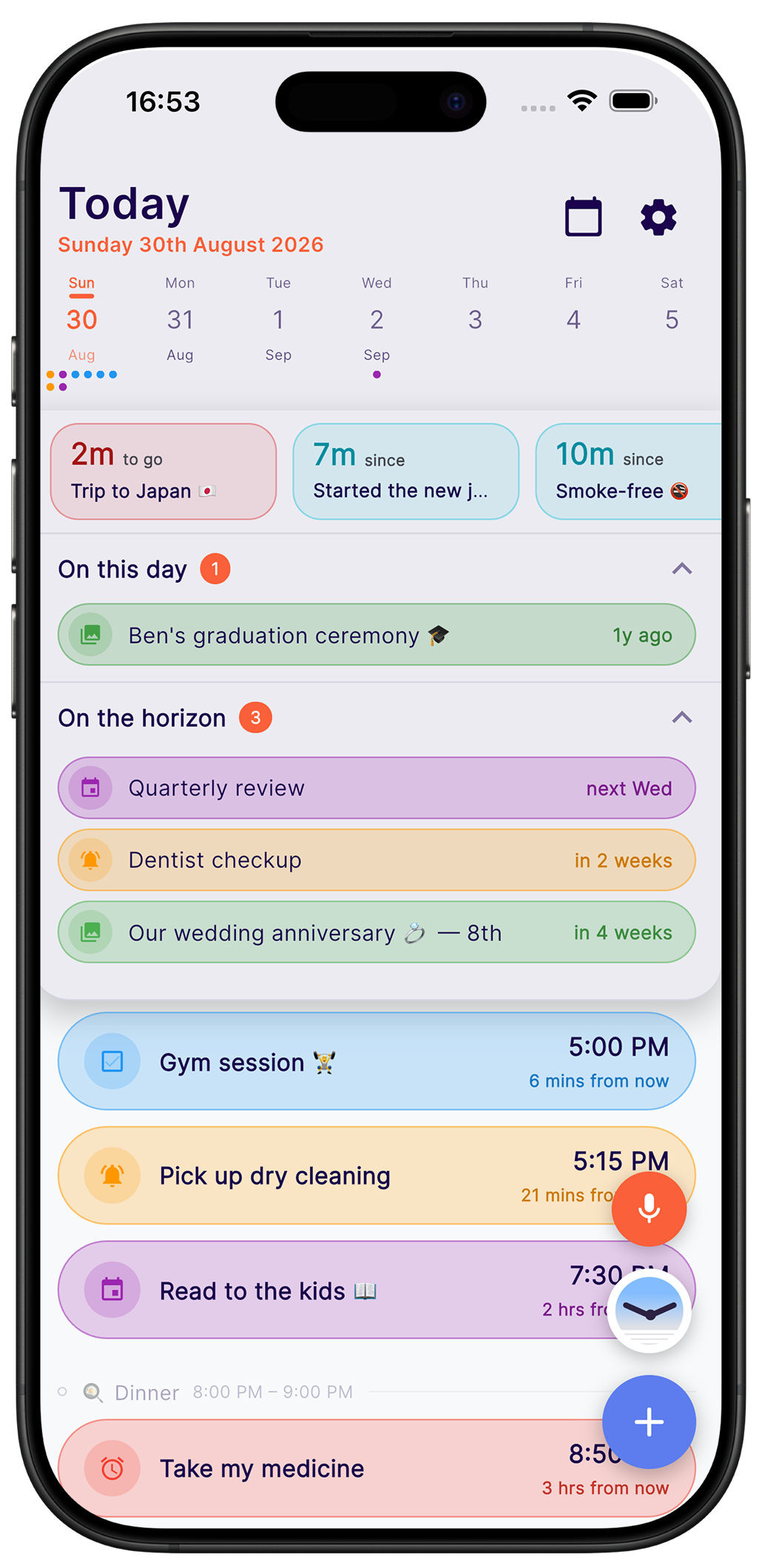
Everything, on one screen
Your countdowns up top, today's timeline in the middle, and a memory from years back resurfacing at the bottom — the whole passage of time in one glance.
Span
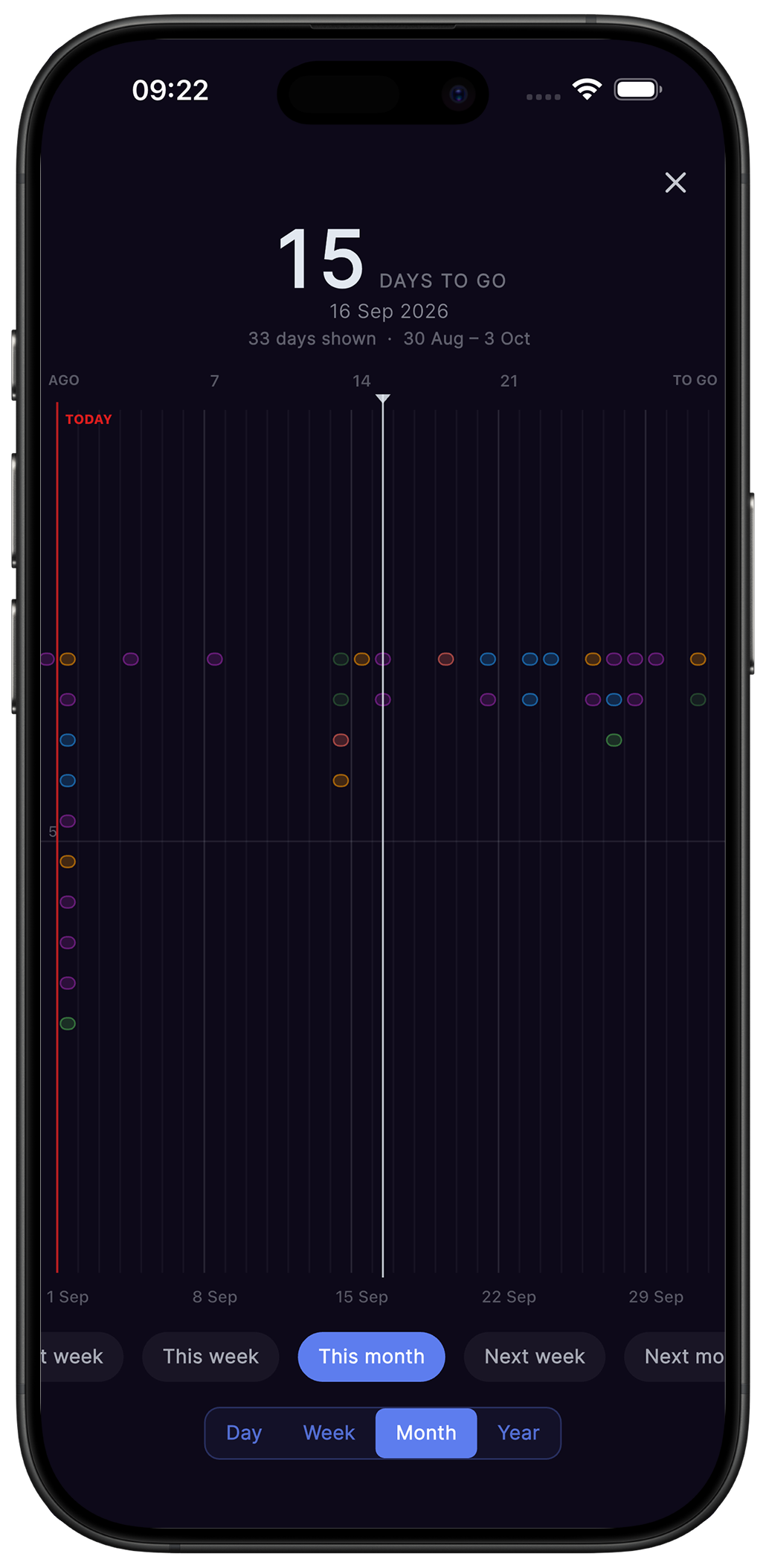
Your whole life on one ruler
Today sits in the middle, the past to the left, the future to the right. Drag and the number climbs — 15 days, 62 days, 3 years. Zoom out and the shape of your life appears.
Pro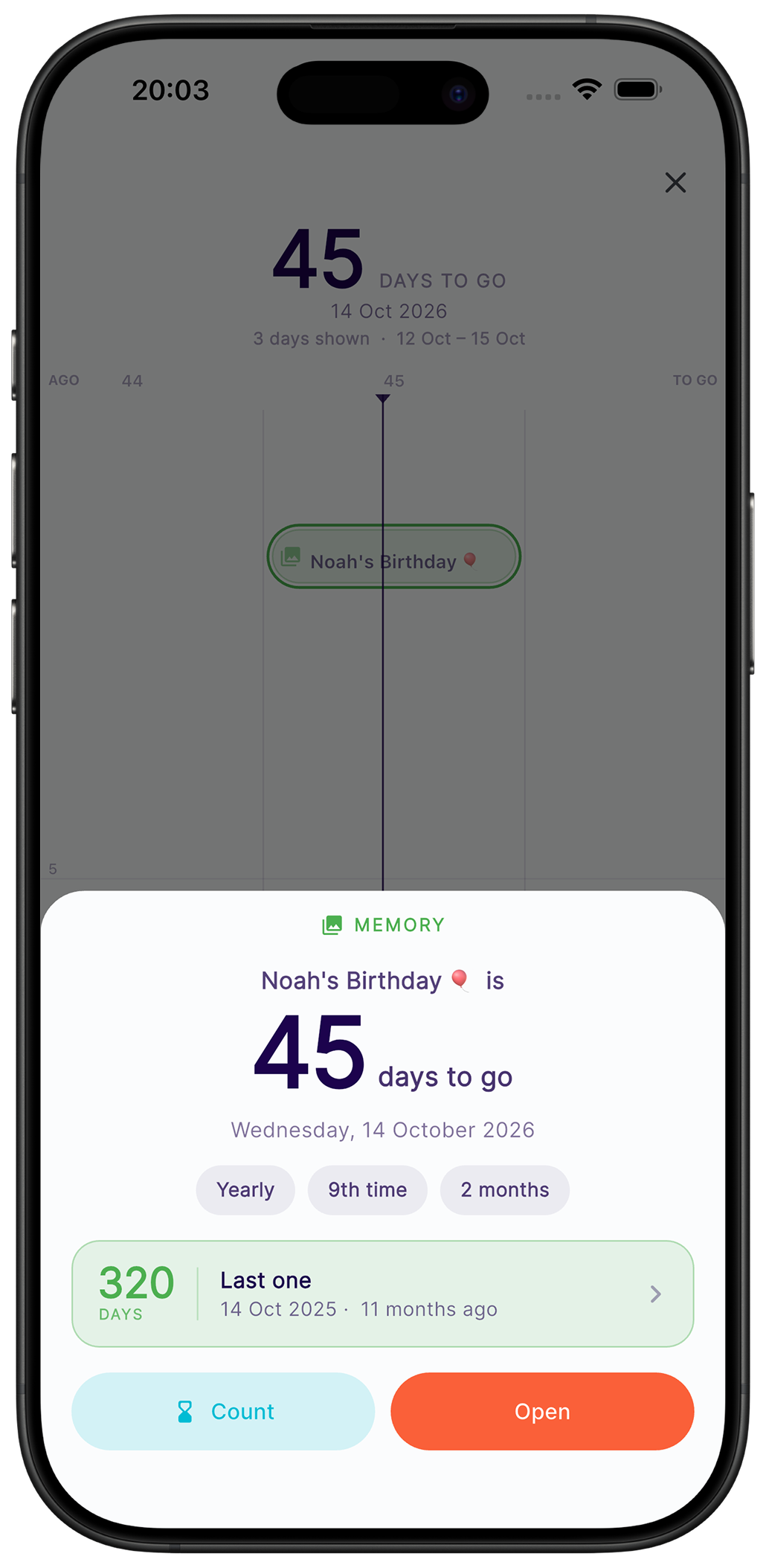
Span
How long has it been?
Tap anything on the ruler for how long ago it was, when it comes round again, and how many times it already has.
Pro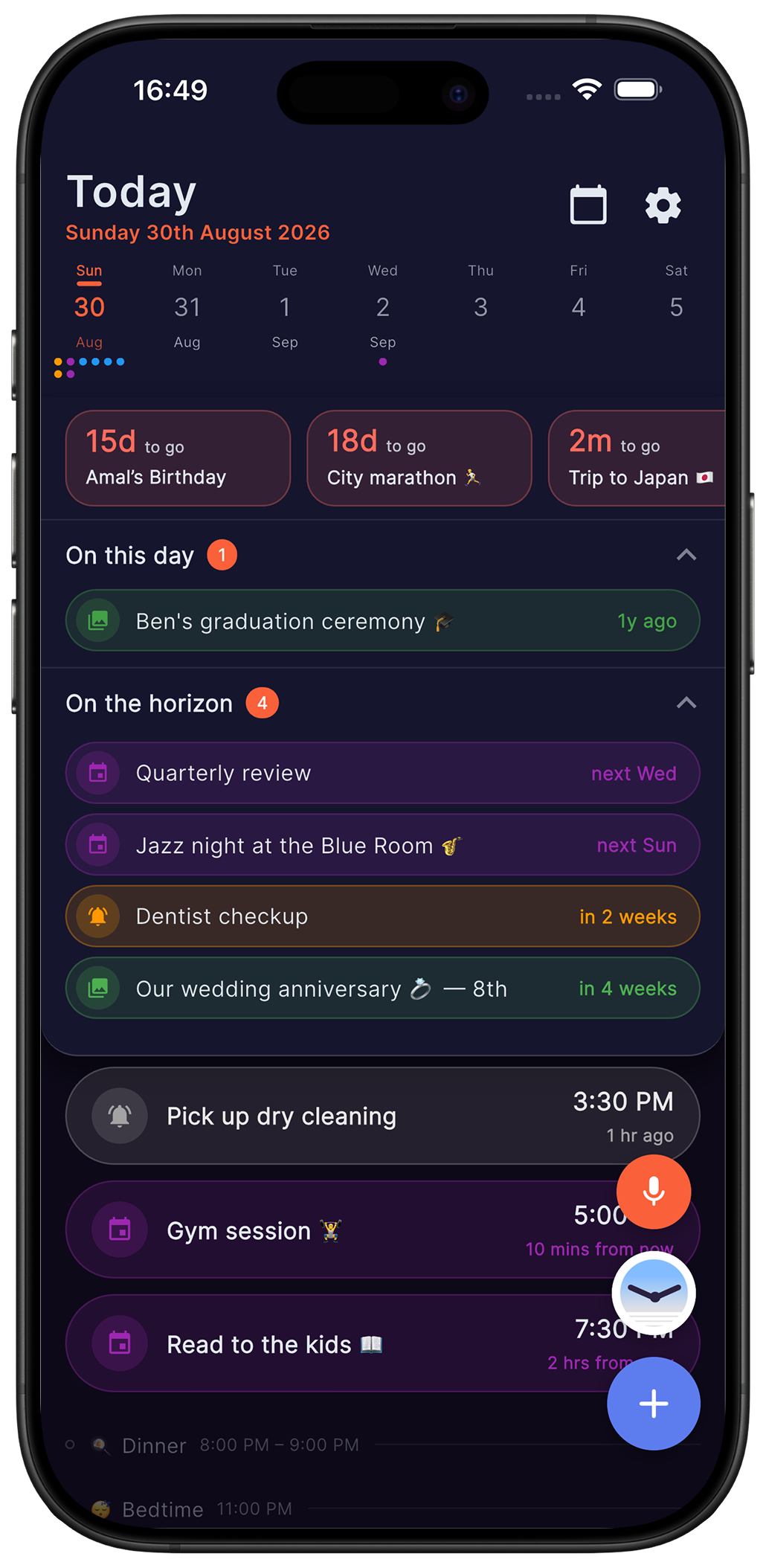
Countdowns
Countdowns that work both ways
37 days to your trip. 1,412 since you moved. Both pinned to the top of your day, so nothing sneaks up on you — and each retires itself the morning after it lands.
The assistant
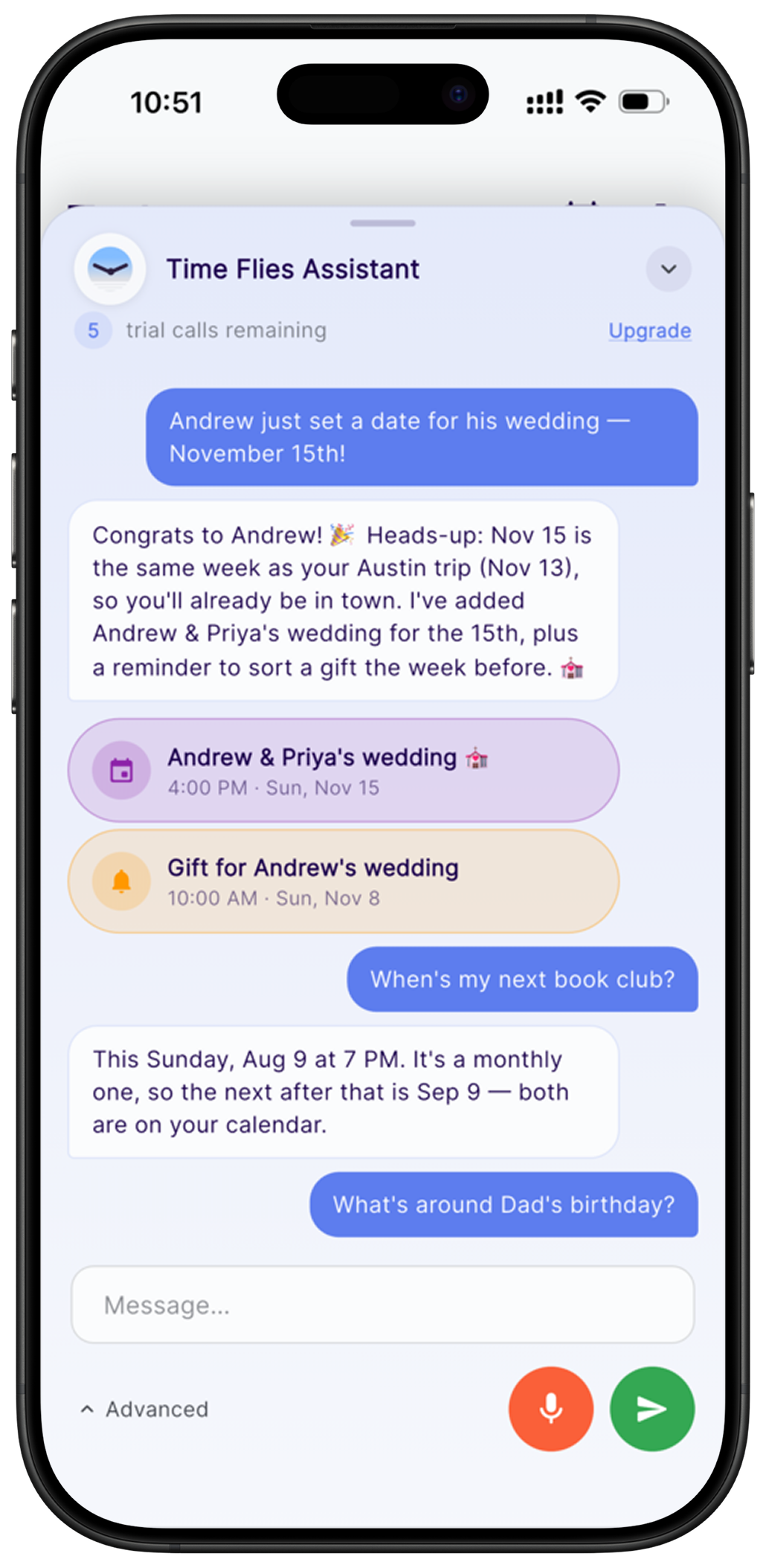
Just say it, and it's scheduled
Type “dentist Friday at 2” or just talk to it. It knows your routine, so new plans land where your day actually has room. Ask it to move things, or what your week looks like.
Voice notes
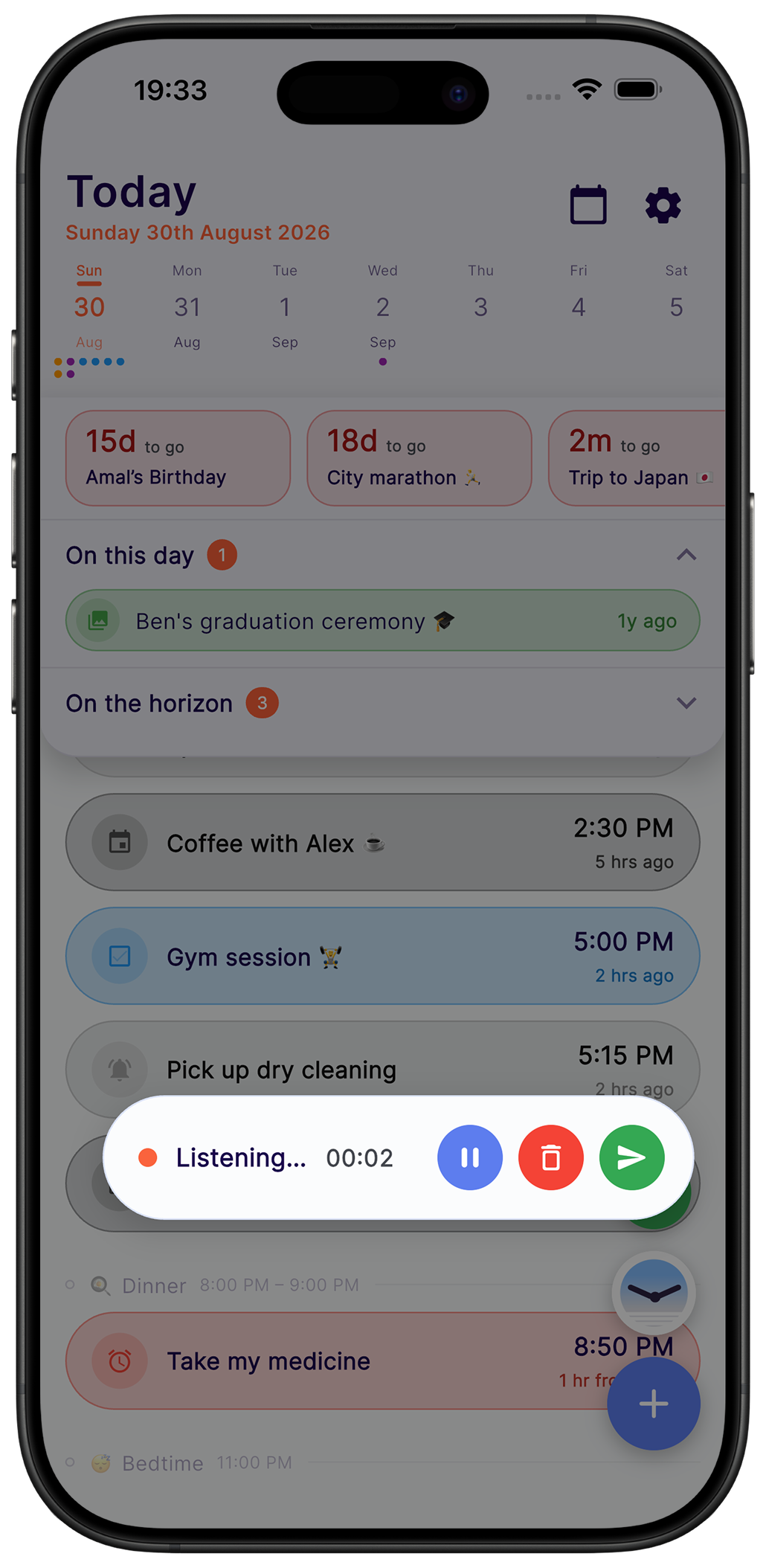
A note in your own voice
Tap the mic on your home screen and just talk. The recording lands on your timeline at the moment it belongs to — there to play back with a tap, right where you left it.
Routines
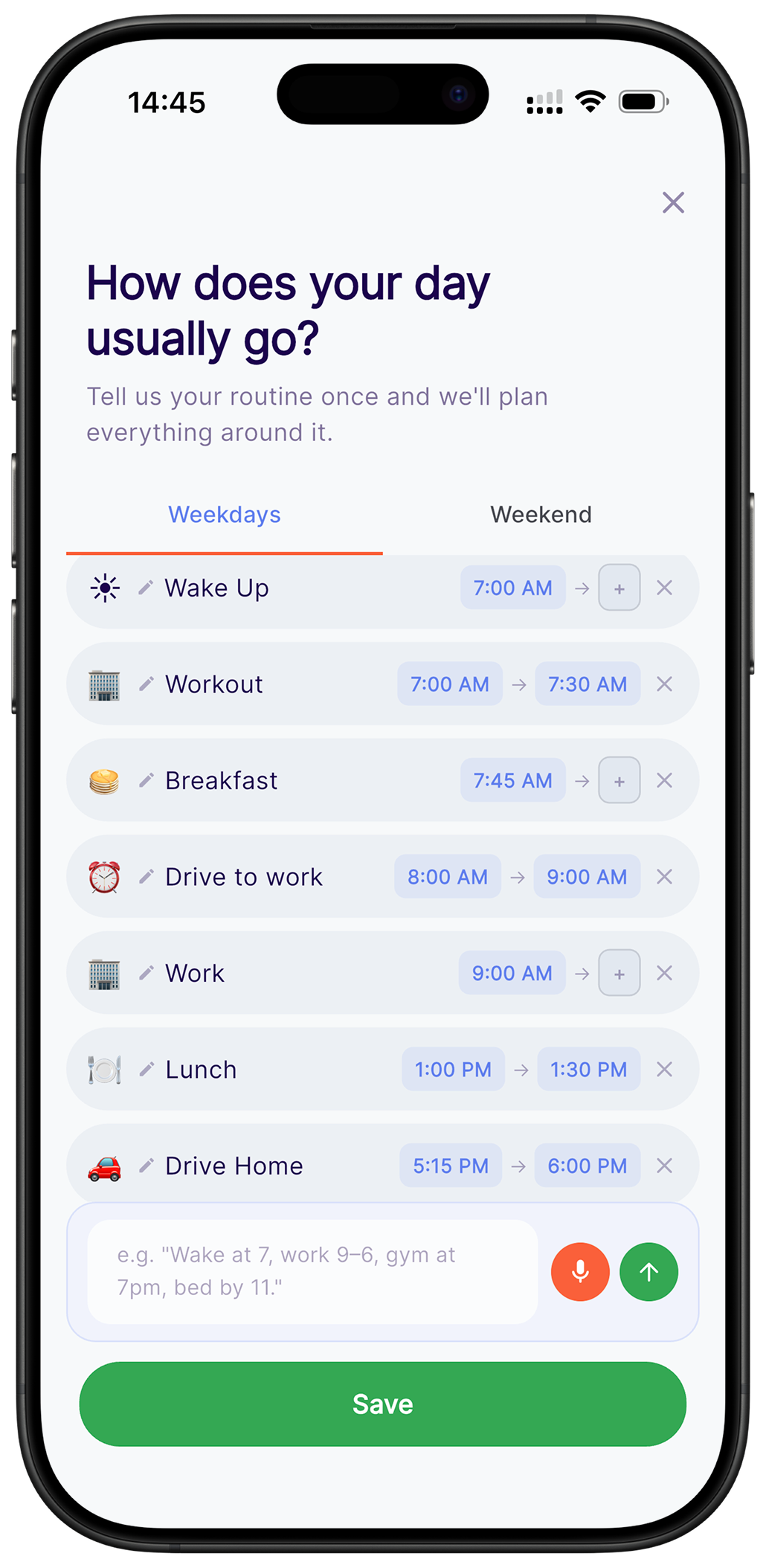
Built around your day
Tell it once how your day runs — wake, lunch, family time, wind down. It frames your timeline around those hours and drops new plans into the gaps, instead of on top of everything else.
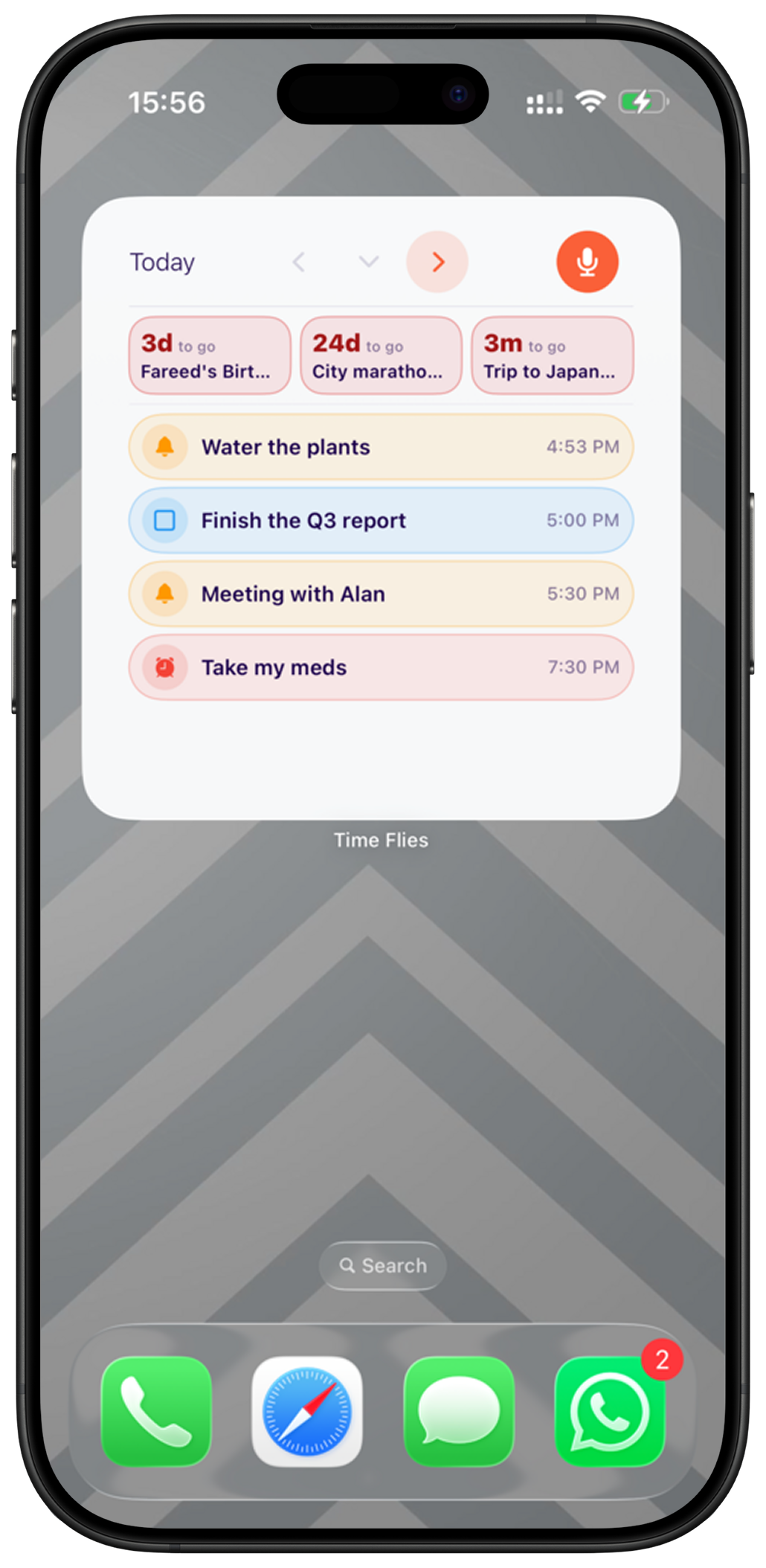
Widget
One glance, both directions
A home screen widget with today up top and your nearest countdowns underneath — your day, without opening the app.
ProOn This Day Pro
A year ago today
The moments you logged, brought back on their anniversary, right on today's timeline. Never more than a few, and only the ones worth returning to.
Share in
Any flyer. Now a plan.
Share a flyer, screenshot or voice note in from any other app, add one line of context, and it becomes a plan.
Six kinds of moment
Whatever you need to keep
Colour coded, free forever, every one of them.
Honest pricing
Free to start
Everything except the assistant and a handful of extras is free, forever.
Free
No account required to try
- All six activity types, including countdowns
- The countdown strip on your home page
- Routines and the routine time picker
- Notifications, rollover and offline saving
- Five AI assistant requests — for life, not per month
Pro
Subscription · auto-renews
- Unlimited AI scheduling — text, voice and shared images
- Span — your whole life on one ruler
- The mic on your home screen
- On This Day, resurfaced on their anniversary
- Daily Overview and Weekly Rewind
- The home screen widget
A subscription auto-renews unless cancelled at least 24 hours before the period ends. Manage or cancel anytime in Settings.